The engineer can overrule the AI
Why: the AI is right on paper and blind on site.
A Context pill in the prompt bar lets engineers steer the AI with what they see, and it regenerates. One extra step buys a safe decision.
An offline-first mobile app helping generalist construction field engineers diagnose equipment failure faster.
Expertise doesn't scale to every site.
An assistant the engineer can check, correct and teach.
The AI is right on paper and blind on site. Engineers steer it with what they see, the recommendation regenerates, and that feedback is saved as a signal for sites with similar conditions.
After the first “humid day” report, the AI checks the humidity itself. High humidity doesn’t always mean corrosion, so it adds a tagged option beside the normal one. Every engineer gets the lesson.
A dot marks every changed step. The Change log tab says why, only when asked.
Deep dive
The problem, the thinking and the design, in detail.
The crew lead has a phone, a fault code and a decision to make.
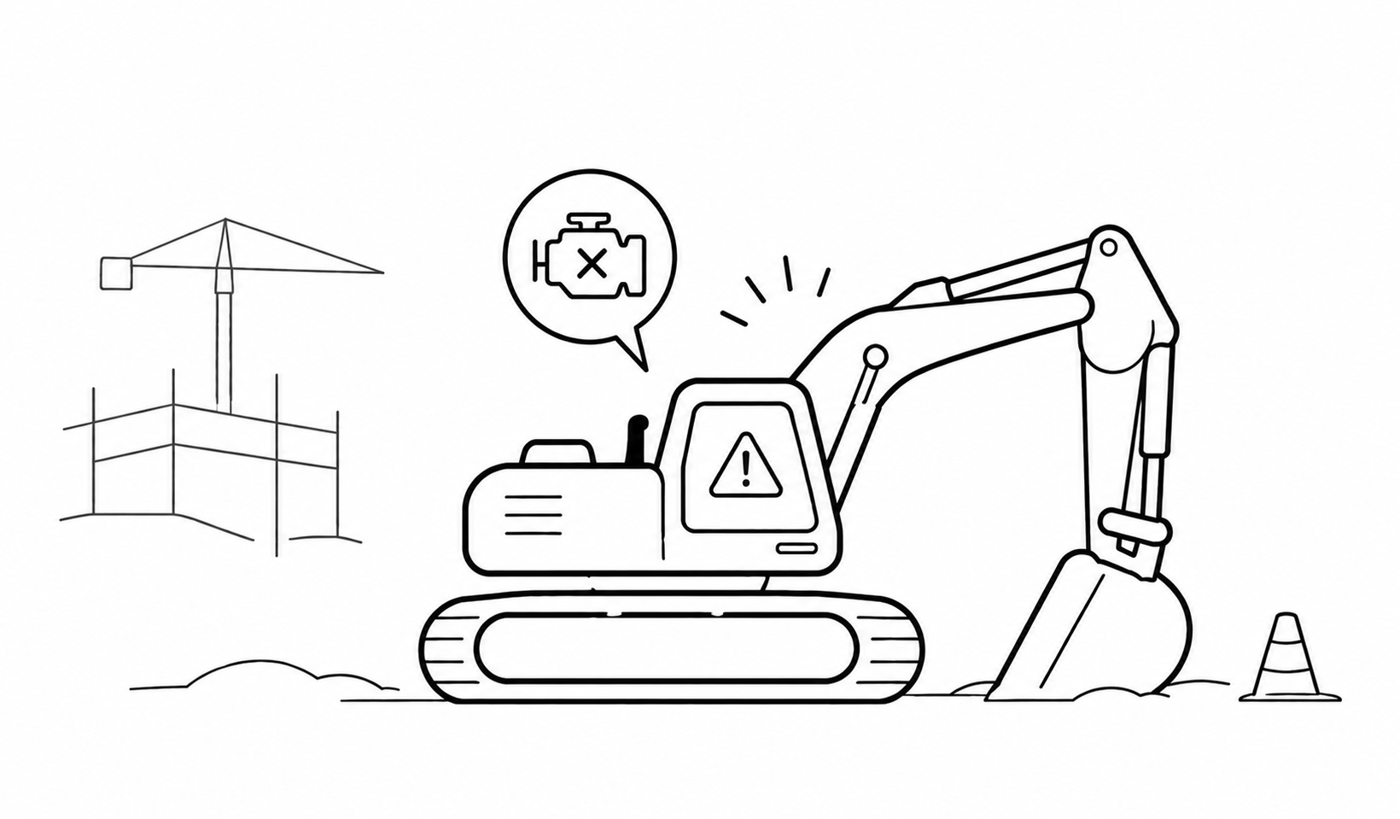
01An excavator stops mid-shift.
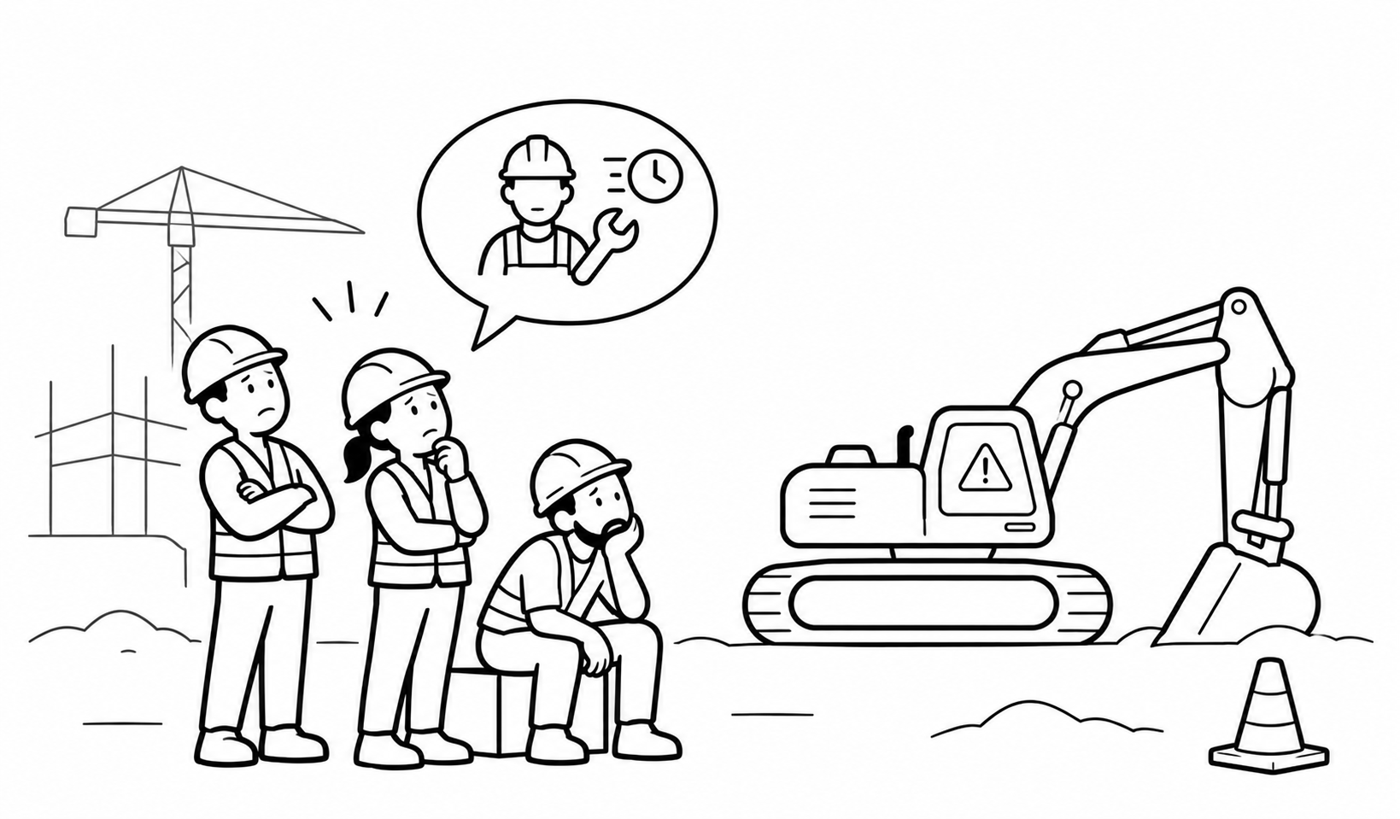
02The crew stands around, waiting.
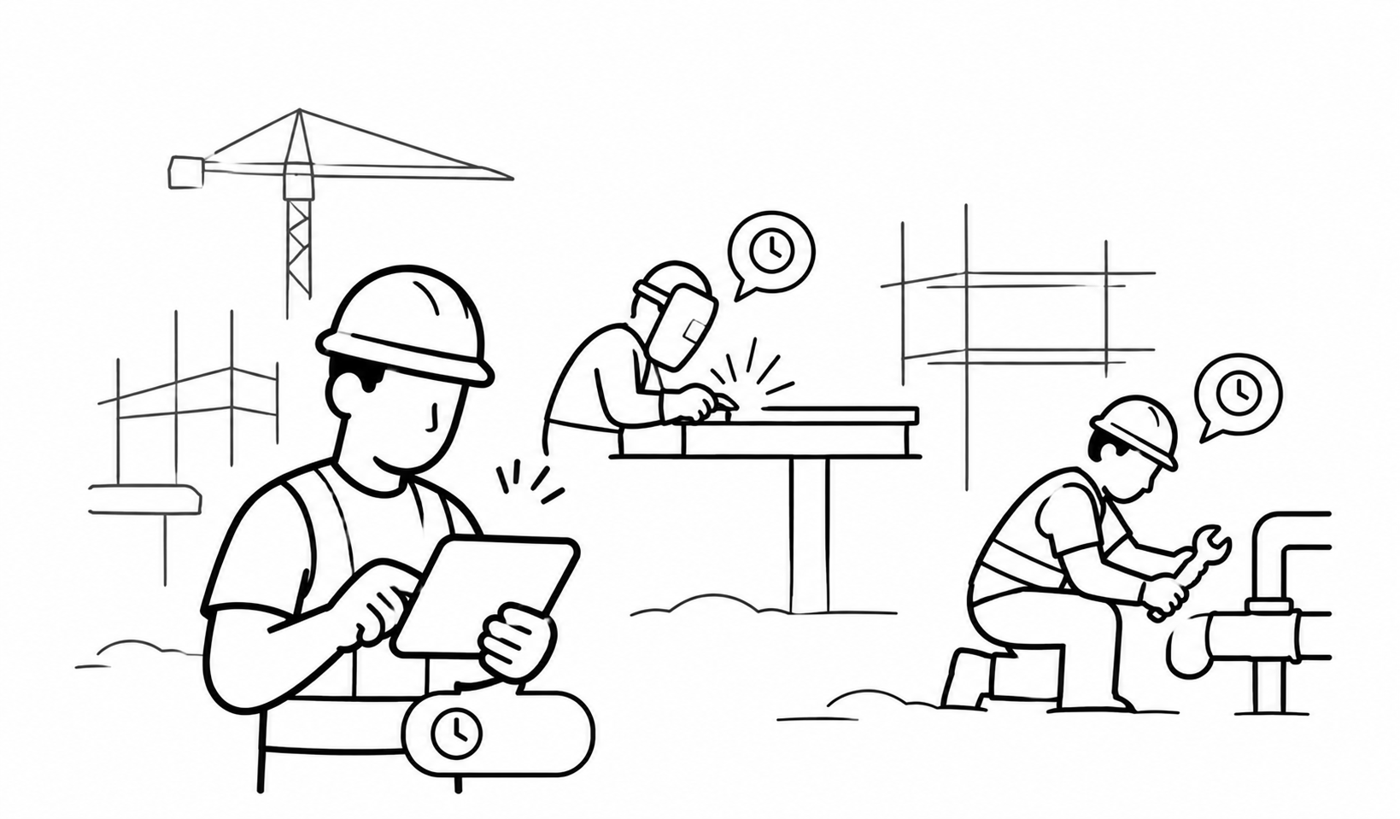
03The site’s few specialists are busy on other jobs.
Field engineers lose time to three things.
Every minute spent diagnosing delays the project.
Sites have specialists, but not enough for every small fault. Keeping that many on hand costs too much.
Answers sit across manuals, service records and past repairs.
Let generalist engineers handle the jobs they can, with help from an AI assistant, and call in a specialist only when the job truly needs one.
Less downtime, lower costs, and specialists kept for the complex, high-risk work.
Everyone assumed the AI should give the answer. In our brainstorming calls, I pointed out the catch: the AI doesn't know what the engineer knows.
A repair that's technically correct. It has no way of knowing about the heavy rain the night before.
The ground is now muddy and slippery, so that repair becomes risky to carry out.
The rain example wasn't from a dataset. It came from asking myself what I'd notice if I were standing there.
Why the engineer can. A human can sense that something is off, even without pinpointing what. Past experiences, even unrelated ones, help people join dots.
“Just feed all the context into the AI.”
My answerTo know if a site is stable after a rainy night, you'd need sensors in the ground. Not viable, not cheap.
It can say it rained, but not whether this patch of ground will hold.
They can look at it and judge in seconds, and they're the one standing on it. Expensive tech wasn't needed when the answer could be simple.
“make the AI smarter”
“let the AI and the engineer decide together, in a way the engineer can trust.”
AI shouldn't replace expertise. It should amplify it.
What can a human on-site see and judge that AI can't?
Every decision on this project started here.
The crew lead makes the call, and the whole crew acts on it. They don't want to read manuals. They want the right answer, and they're the ones accountable if it's wrong.
Don't make me read the manual. Tell me what's wrong, and show me why you think so.
— Generalist crew lead
I knew nothing about construction going in. So I couldn't lean on assumptions or biases. Every decision came from the research.
Two findings shaped everything
Downtime costs the construction industry a lot.
A small language model can run entirely on the phone, with no internet.
Human-in-the-loop by design: a human can check and change every AI output.
Why: the AI is right on paper and blind on site.
A Context pill in the prompt bar lets engineers steer the AI with what they see, and it regenerates. One extra step buys a safe decision.
Why: the field knows things the manual doesn't.
Tell the app it rained last night, and it factors that into the day's other repairs. When engineers correct the AI, that feedback loop improves recommendations at sites with similar conditions.
Why: a fault one crew solved shouldn't be new to the next.
Every override and every piece of saved context makes the next recommendation better. A fault that was new at one site becomes a known fault at the next, so engineers need specialists less often.
What changed
What changed
What changed
5 of 9testers got lost in v2. The context box felt small and restrictive.
The engineer gets a recommendation that won’t work on this site.
They tap Context and add what they see. The AI regenerates, with options that fit.
↺ Still not right? Add more context.They review the whole plan and tap a step to check its source.
They push back on one step. Only what must change does, and it’s marked.
↺ Back to the plan.They start the procedure. Mid-repair context goes on the current step.
Next time, the AI already checks for it.
One repair: a hydraulic hose leak at the boom of excavator EX-14, next to a trench.
Engineers don’t volunteer context. It feels so natural that they forget it’s there, until the AI gets it wrong. So every wrong answer draws out what they know. That’s why overruling is a loop, not a form.
“The engineer wants the right solution that they themselves may not know yet. They know that the current solution is not right, but giving it certain points of context may yield a better solution.”
“Good design is invisible. It feels so natural that it is hardly ever noticed. It is not loud.”
The AI recommends a 2-hour circuit replacement. The ground is too wet for the lift truck. The engineer can’t name the right fix, but they know this one won’t work. They tag the card and add context.
“Knowing that the recommendation is wrong or not feasible is a call the generalist can almost always take confidently. They know their construction site.”
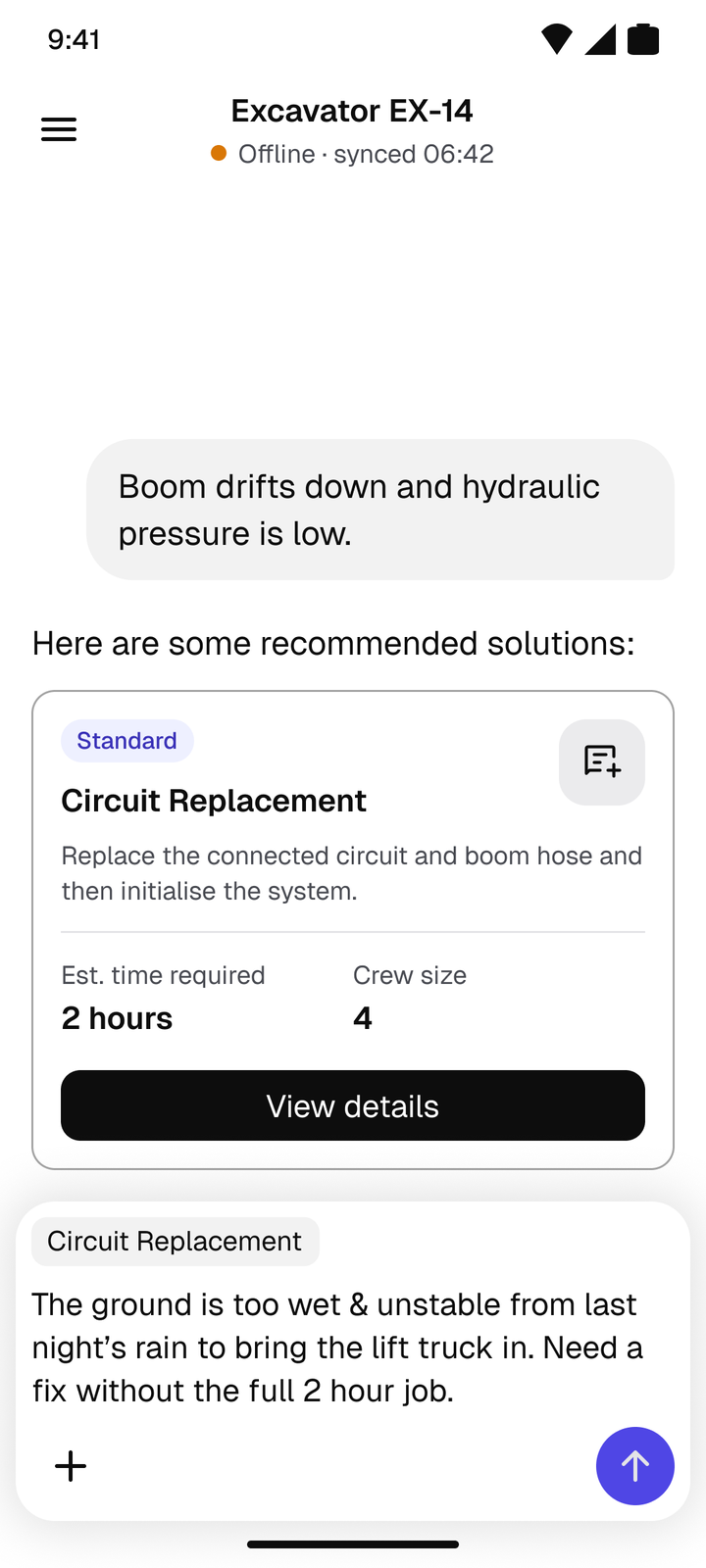
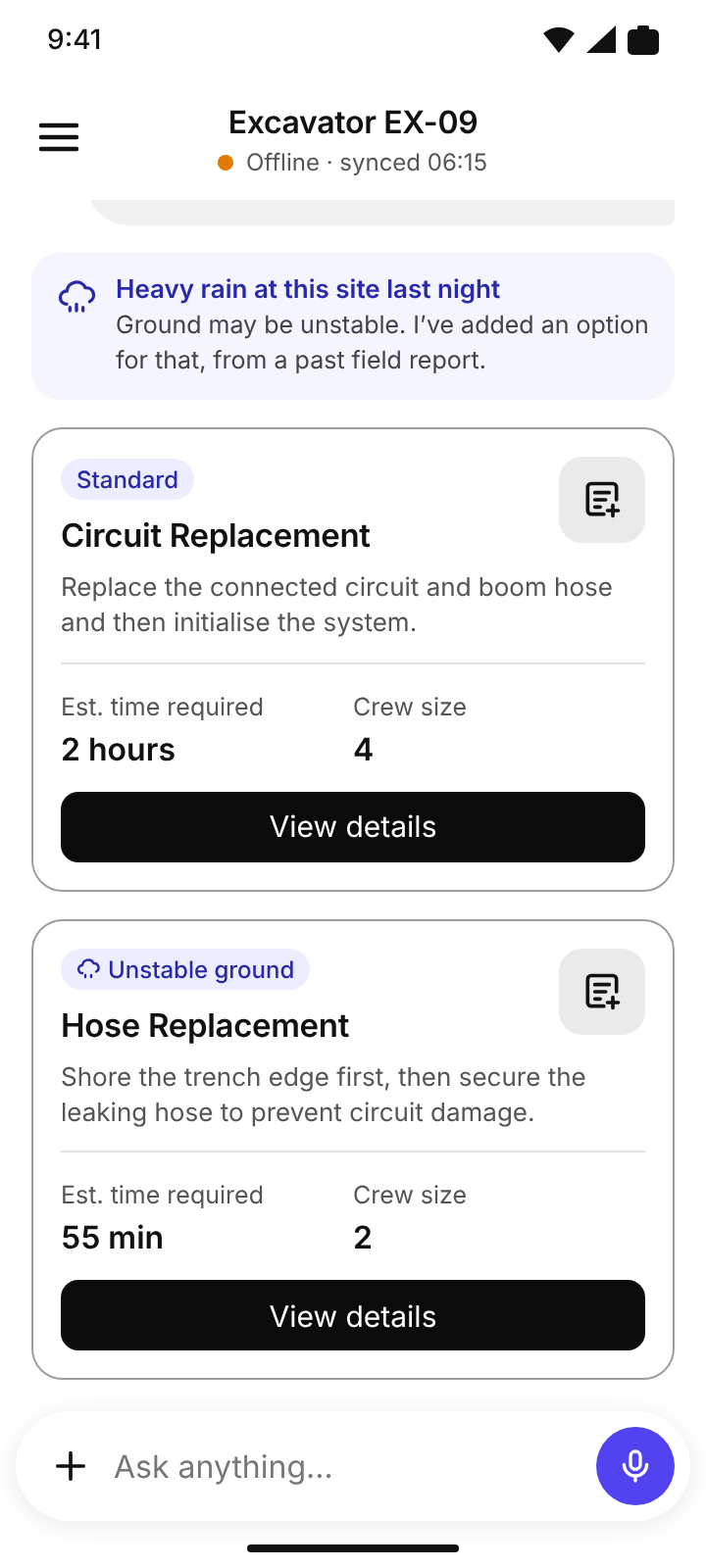
Two options come back: the standard fix, and a 55-minute temporary fix tagged “Unstable ground”. No Regenerate button. Every retry carries new context.
“Minimising downtime is our goal mainly.”
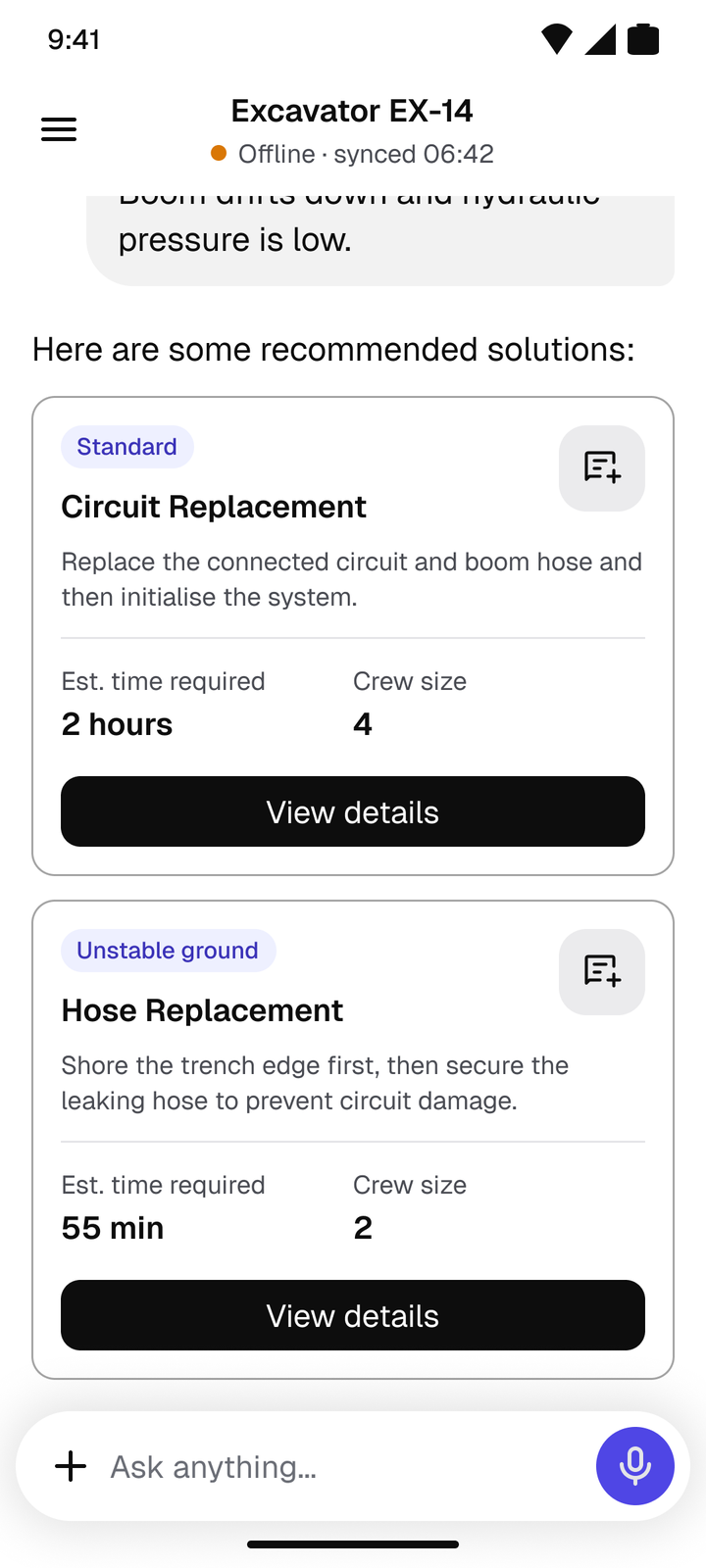
The engineer sees the whole plan first. Tap a step for its source: the exact manual page, or the past case it came from.
“Temp fixes may be off-manual. That is why we need the AI+human combo. Humans are trained to know what is safe and what is unsafe.”
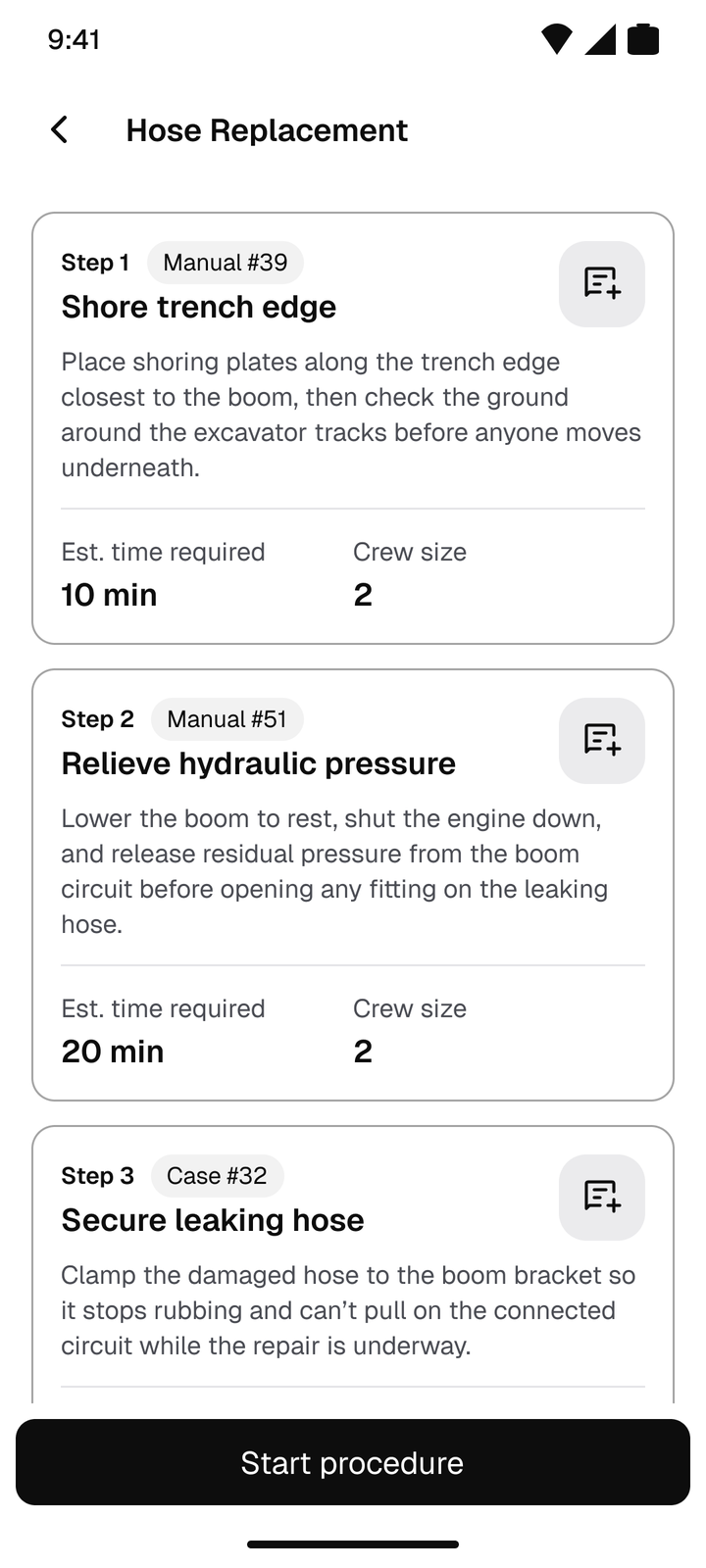
The overrule icon scopes context to a single step. Only what must change does, earlier steps included.
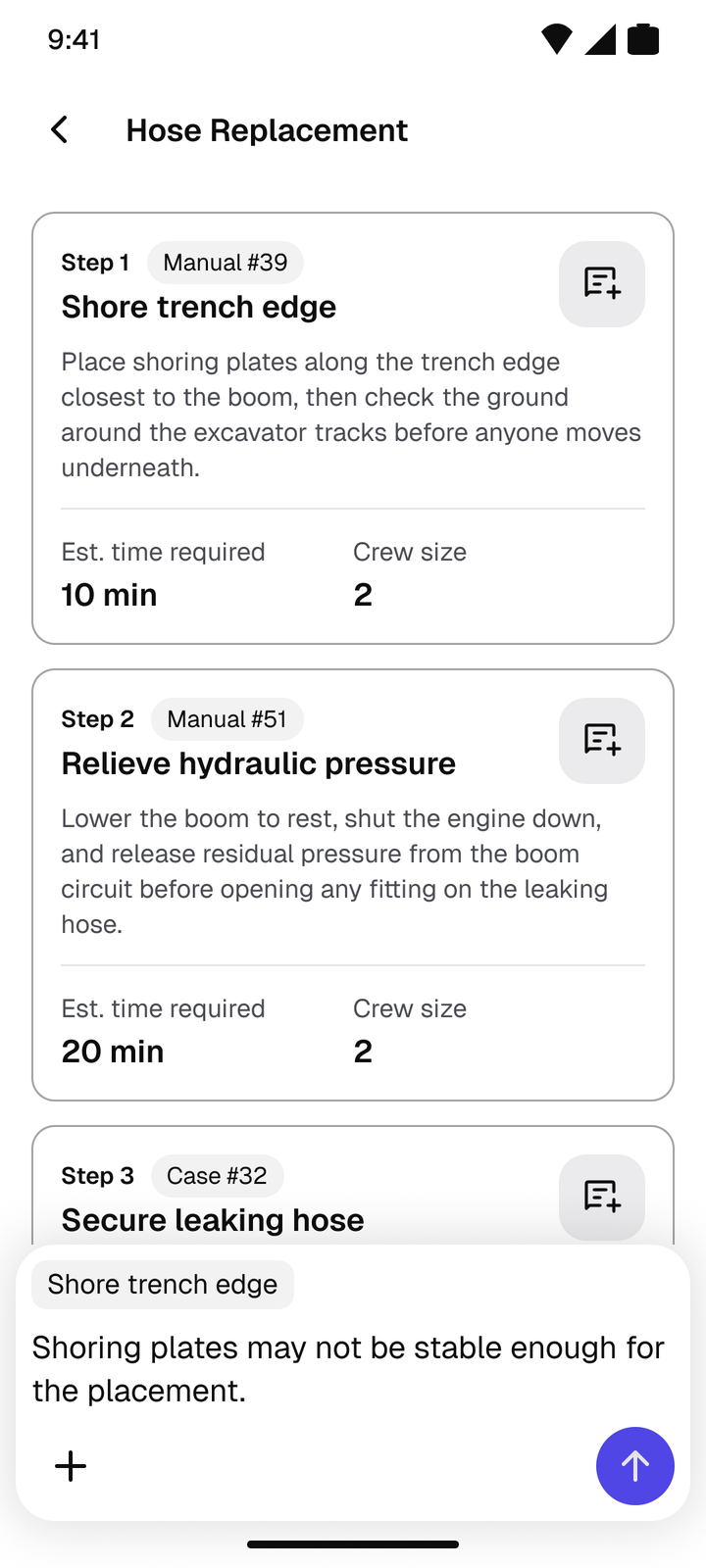
A dot marks every changed step. A Change log tab says why, and only exists on changed steps.
“Explanation for change on demand. Not shown upfront.”
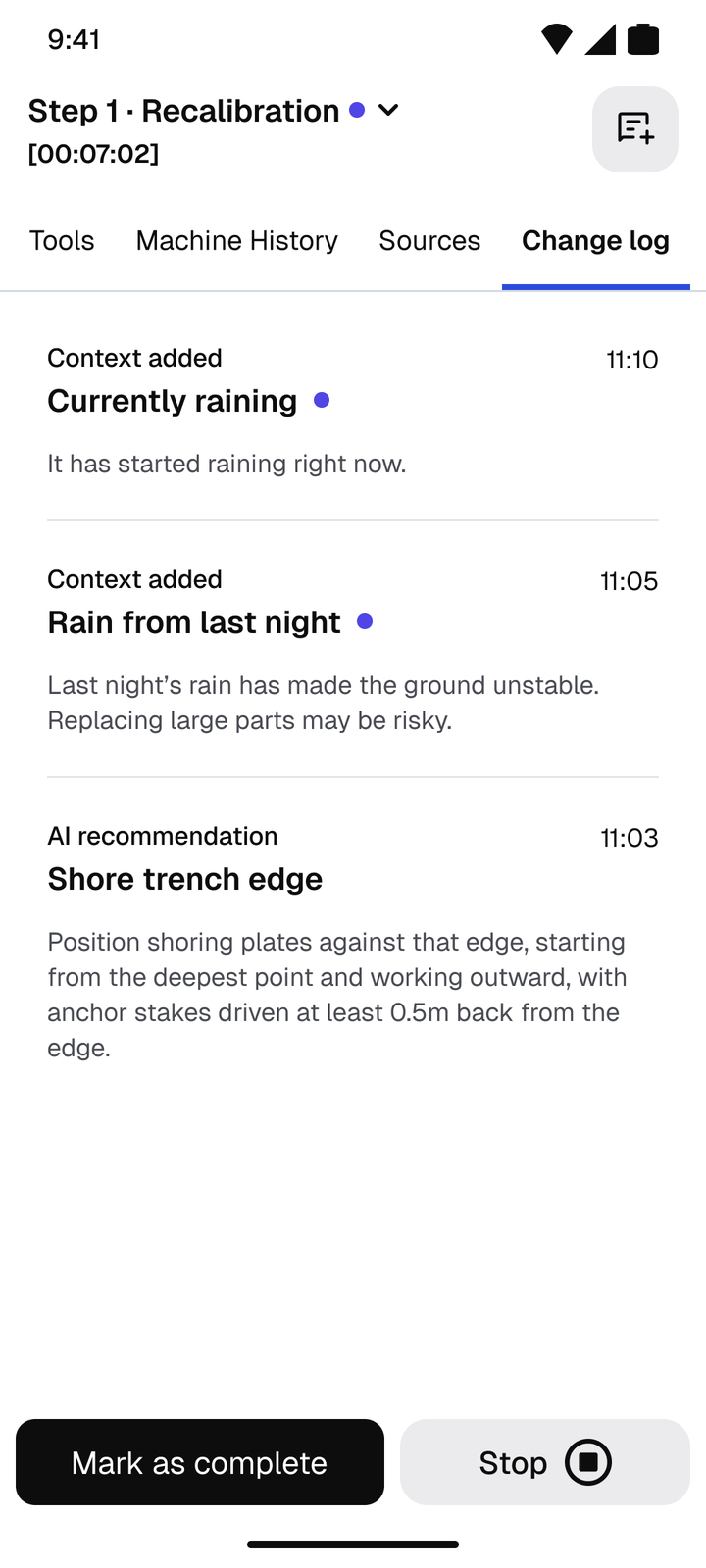
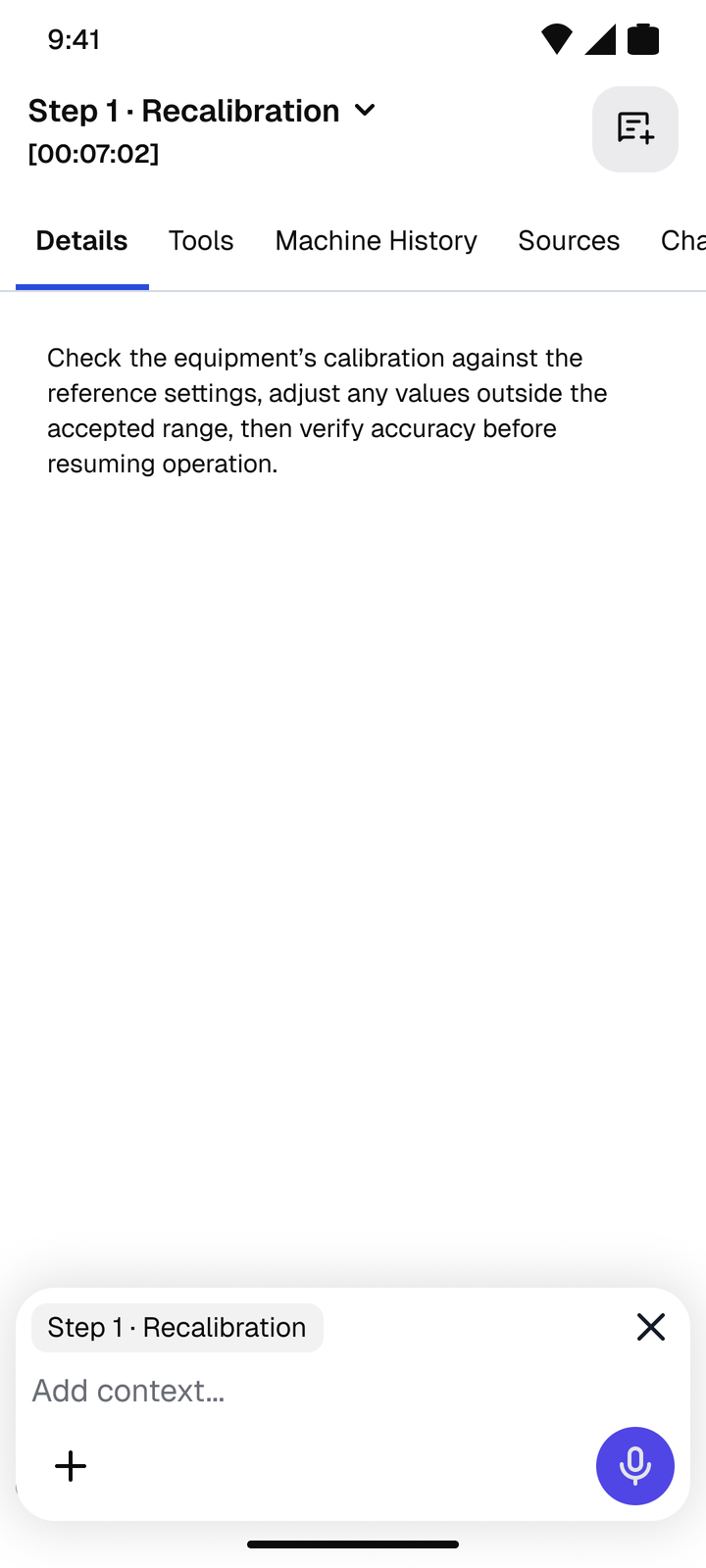
Full screen, one step at a time, no back swipe, on a company-managed, regulated device. New context goes in through the current step’s overrule control.
“The procedure should be in focus, with no distractions.”
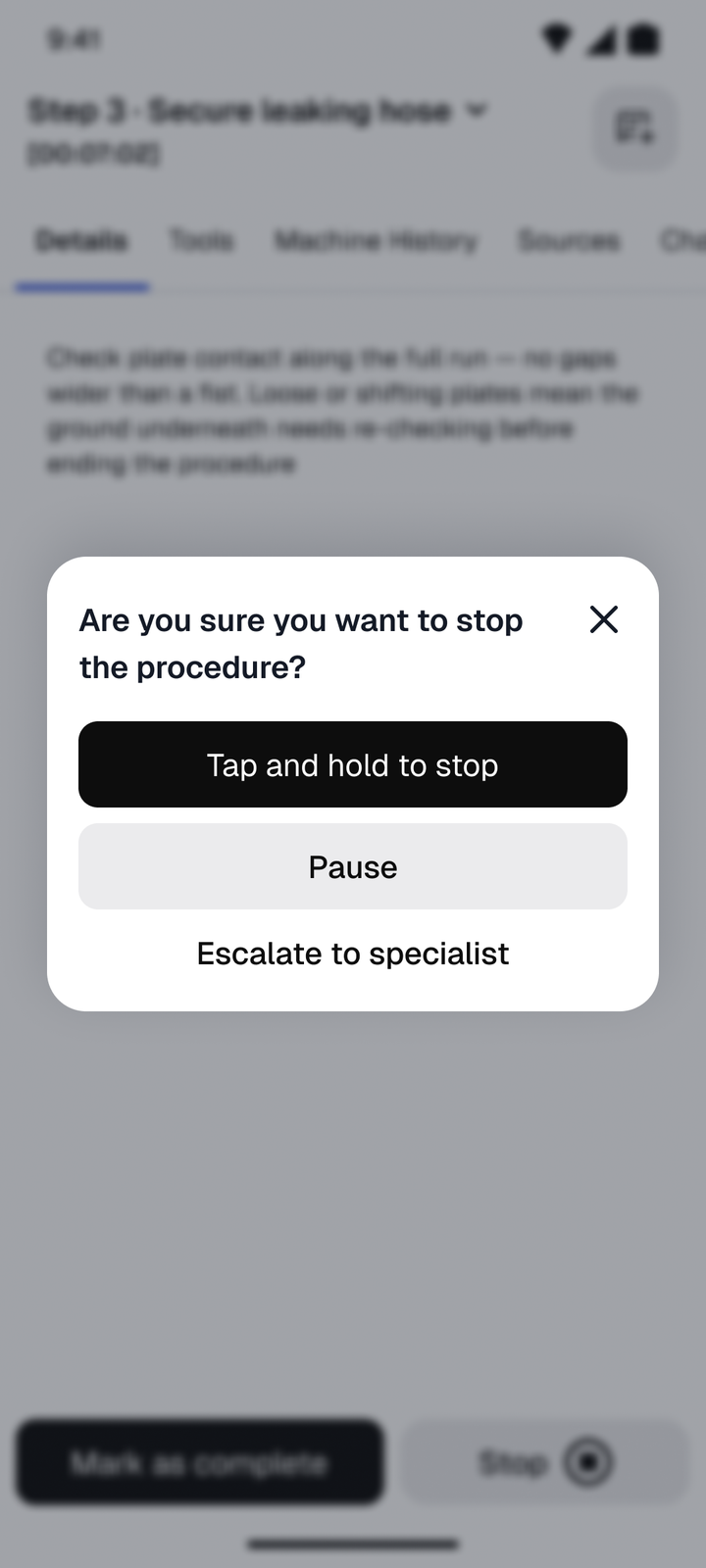
Stop opens a popup: tap and hold to stop, pause, or escalate. The hold prevents accidents. Escalate is a ghost button because it’s the last resort.
After the first “wet ground” report, the AI checks weather data itself. Rain doesn’t always mean unstable ground, so it shows a tagged option beside the normal one. Every engineer gets the lesson.
“What stops a wrong context reaching everyone is everyone’s judgement. Human judgement.”
Recreated screens. All step copy is placeholder.
A retry without new context teaches nothing. Trade-off: a few seconds of typing.
Keeps the step in focus. Trade-off: one tap.
Steps hold long instructions. Trade-off: one tap in, one step in focus.
The field knows what no site does alone. Trade-off: a wrong lesson could travel. Engineer judgement and the manuals catch it.
Left out on purpose: escalating to a specialist, and the stop summary.
Source · Business Analysis team
Most faults are now fixed in one visit, with no trip back to site.
The same repair in a little over half the time.
Machines are back at work sooner, so crews and projects wait less.
From pairing generalists with AI instead of staffing every job with specialists.
Specialist interventions are falling month on month, as field feedback and saved context improve the recommendations.
The hardest part was finding the edge cases. I started by learning what a construction site actually involves, then asked what only a human there could know.
Every decision on this project came back to that.
That one question gave me every edge case: what can a person on site see and judge that AI can't?